GO3D CLOUD · LOCAL AI · PARALLEL PROCESSING

Dragonfire resources.

Start with the local mesh-inspection worker. Reports, setup guides and future plans are below.

Local inspection available · guided installer coming soon

Download the worker

Version 0.3.0 · Python 3.10+

Inspect a mesh on your computer.

Read an STL or OBJ file and create a separate JSON report with its checksum, geometry counts and coordinate bounds. Local inspection needs no sign-in or network connection. This is not CAD conversion, mesh repair, GPU processing or an accuracy certificate.

Setup and limits

Extract the ZIP. Open a terminal in the folder containing dragonfire_worker and follow the included README. Python 3.10 or later is required; there are no third-party Python dependencies.

python -m dragonfire_worker inspect model.stl --output model-inspection.json

Use your own input filename and a new report filename. The worker does not overwrite the original. Geometry units remain unspecified; watertightness and engineering accuracy are not checked.

Connected jobs are an operator-only pilot requiring pairing and separate authorization. Downloading the ZIP does not connect your computer or provide hosted processing. The ZIP includes source, a README and tests; a commercial redistribution license is not included.

New: Thor hardware brief

R02 · 2 visual pages

Start here

View or download
01 / THE REPORTPDF · 12 pages

Performance &
economic opportunity

The system, the assumptions, the industry applications and the work still needed to validate performance.

02 / LIGHT GRAPHICPNG

The comparison,
at a glance.

A light-background graphic for reading, sharing and presentations. Includes the planning assumptions.

One link to this complete collection.

The comparison

Open full size
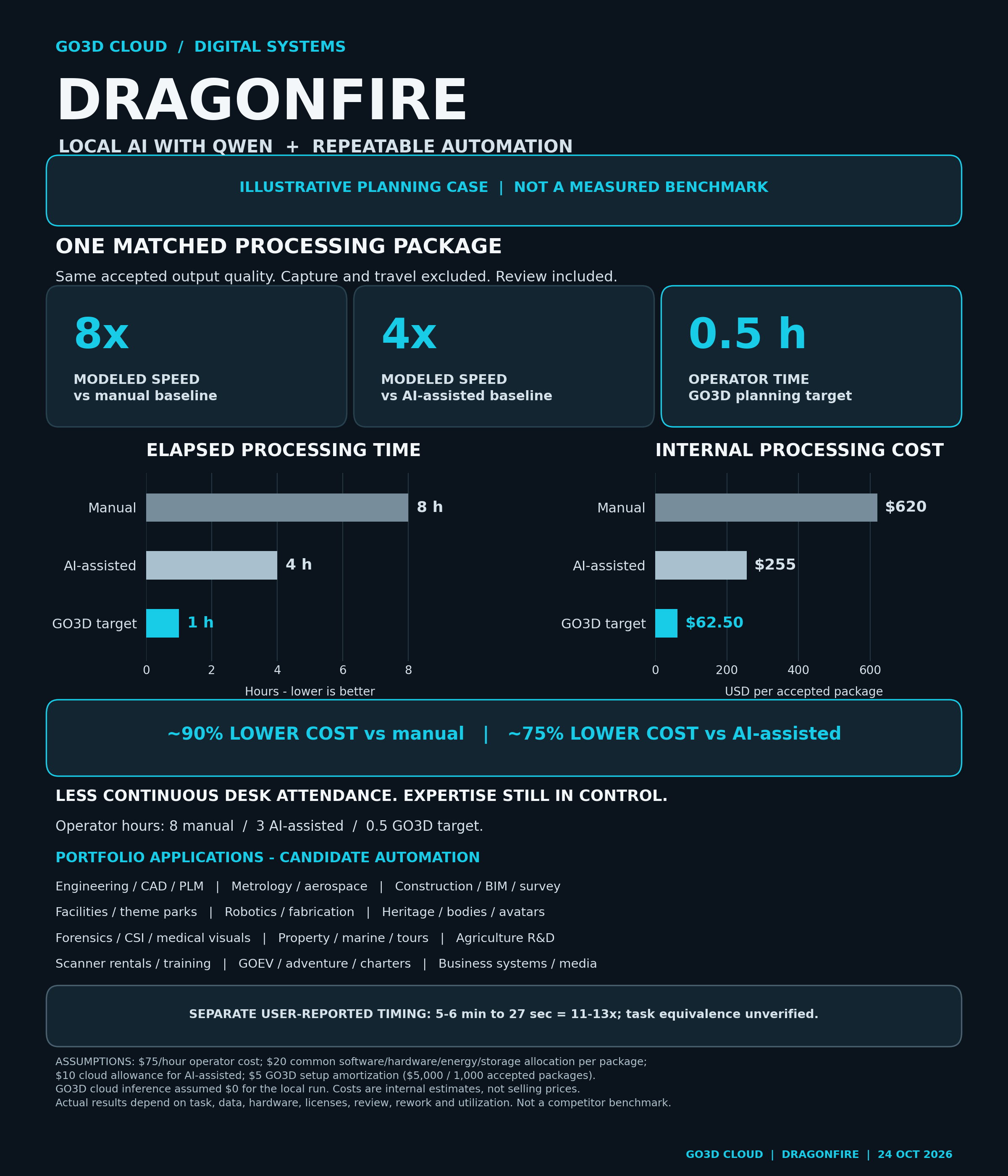
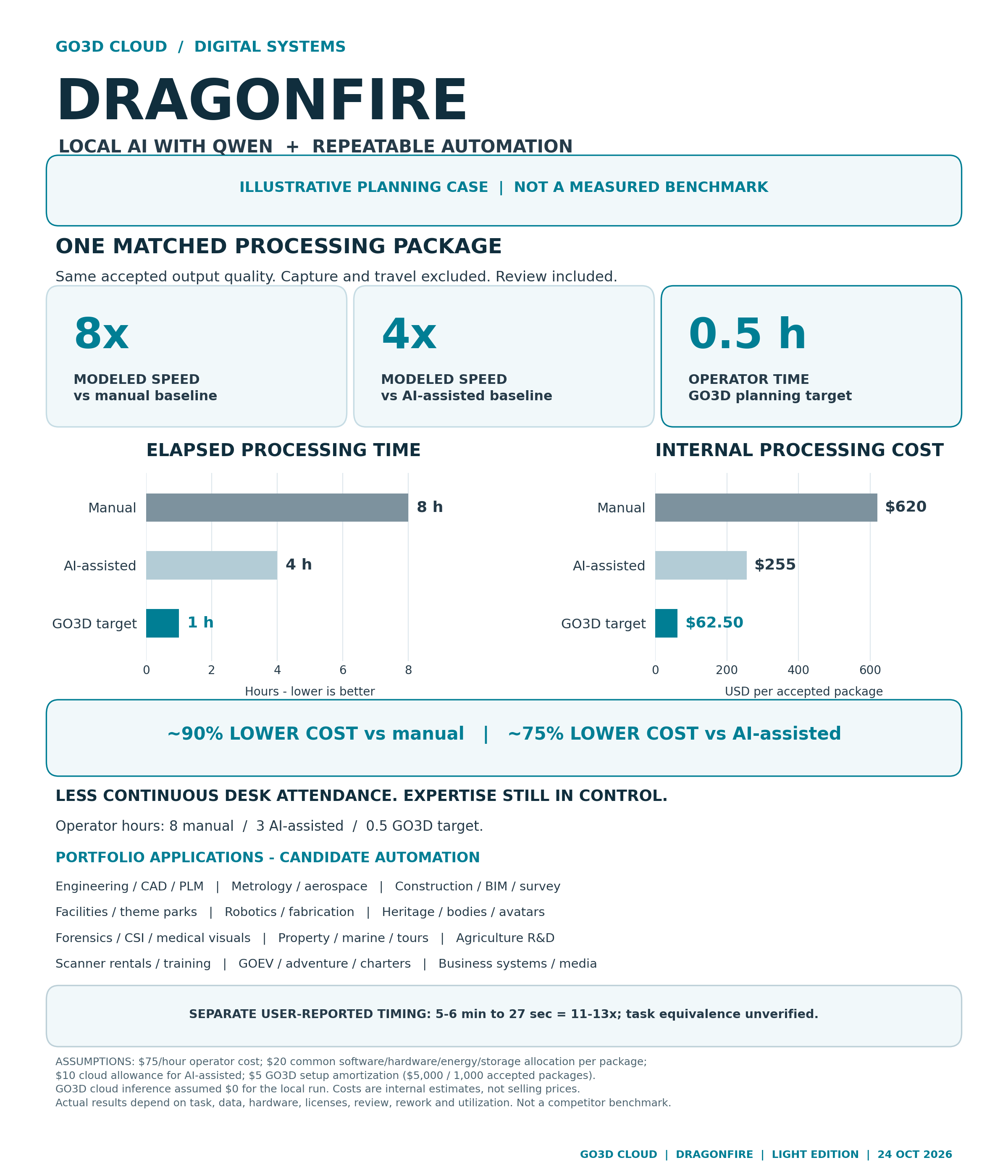
Illustrative Dragonfire planning case comparing manual, AI-assisted and GO3D target workflows. The exact comparison is provided in the table below.
Planning assumptions, not observed production results. Compare the same accepted processing package and its required quality checks.

OPERATOR EFFORT ≠ ELAPSED TIME

What do the numbers mean?

This example assigns the same accepted processing package to three workflows. The GO3D target retains operator review while reducing continuous desk attendance.

Compared with manual work

16:1

Operator-hour ratio

8 hours of manual effort → 0.5 hour of GO3D operator effort

Compared with AI-assisted work

6:1

Operator-hour ratio

3 hours of AI-assisted effort → 0.5 hour of GO3D operator effort

These are labor ratios within the planning case, not claims about workers replaced or measured system throughput.

Illustrative planning case — not a measured benchmark
Per accepted packageManualAI-assistedGO3D target
Elapsed time8 hours4 hours1 hour
Operator effort8 hours3 hours0.5 hour
Modeled cost$620$255$62.50

Elapsed time: the GO3D target is 8× faster than the manual case and 4× faster than the AI-assisted case.

Modeled cost: approximately 90% lower than the manual case and 75% lower than the AI-assisted case.

See the cost assumptions

All three cases use an assumed $75 per operator hour and a $20 allocation per accepted package for software, workstation, energy and storage. The AI-assisted case adds a $10 cloud-AI allowance. The GO3D target adds $5 of automation setup amortization, representing $5,000 spread over 1,000 accepted packages, and assumes no cloud-model inference for that run.

Capture, travel and taxes are outside this processing comparison. Actual time and cost depend on data, hardware, software, review effort and rework. See the report for sensitivities and validation criteria.

THE GO3D WORKFLOW

Automate the repetition.
Keep qualified acceptance.

The goal is to let validated jobs progress between checkpoints, so specialists spend more time on decisions, exceptions and delivery.

01

Local AI

The report describes the recorded Qwen setup through Ollama and Aider on the MSI. It does not mean ChatGPT’s hosted models run on the laptop.

02

Parallel work

Independent jobs can run together when their inputs and available resources allow. The complete processing workflow still needs matched tests.

03

Accepted results

Geometry, measurements and intended use still need appropriate checks. A faster run is useful when the result meets the same acceptance criteria.

Explore the industries and service areas

Precision & engineering

Scan-to-CAD, metrology, inspection, manufacturing, aerospace and reverse engineering.

Sites & facilities

Construction, civil and survey workflows, BIM, digital twins and theme parks.

People & places

Heritage, sculpture, avatars, 3D printing, real estate, yachts and virtual tours.

Scenes & evidence

Forensics, CSI, accident reconstruction and medical visualization.

Field & adventure

Agriculture R&D, scanner rentals, GOEV, outdoor equipment, outfitters and charters.

Business & production

CRM, projects, finance, support, training, photography, visualization and media.

The report distinguishes established service experience from proposed automation and R&D. Listing a service or device category does not mean every connection is live.

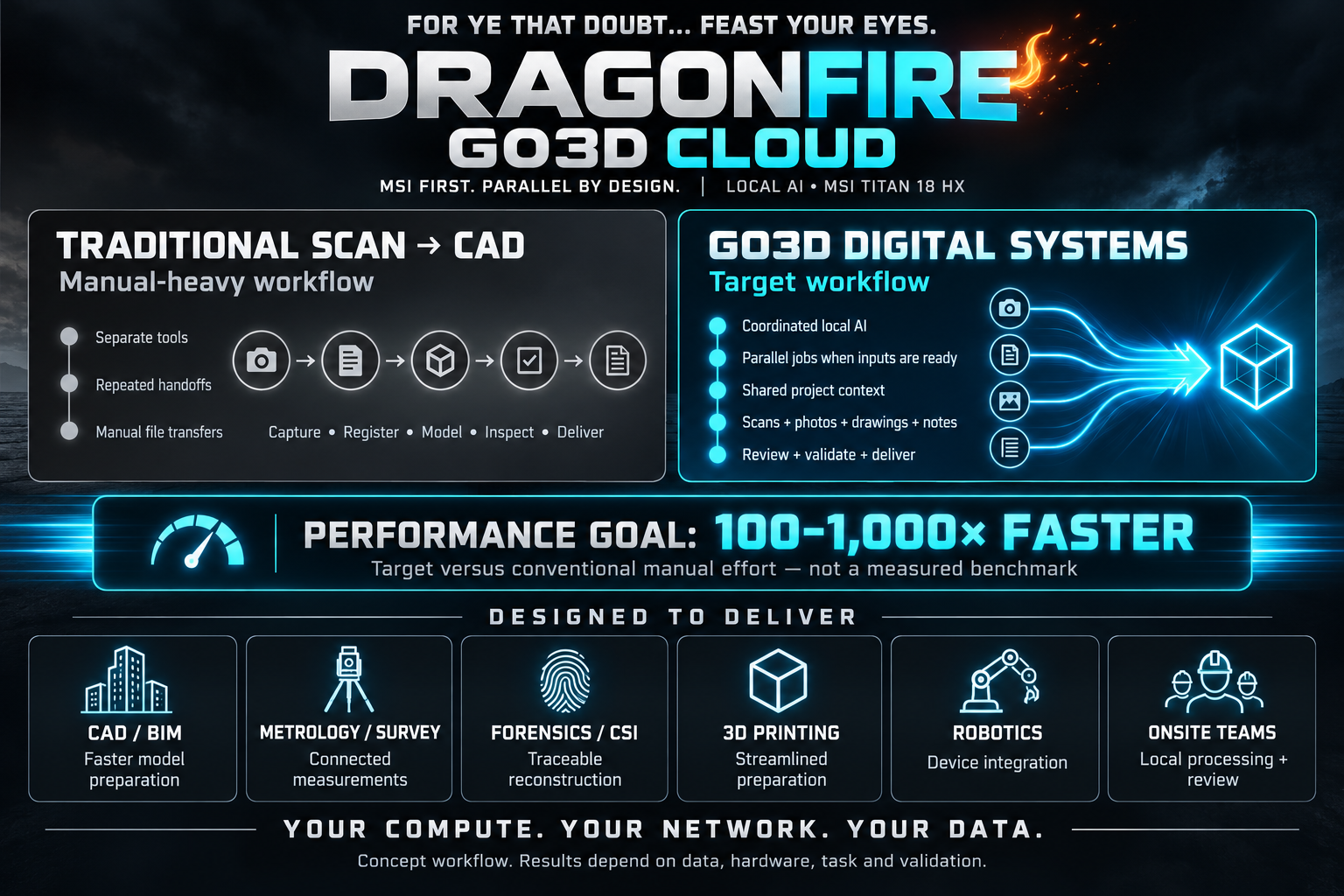
Earlier concept & setup guide

Start with your workload.

Define the input, the accepted result and the time that matters.

Talk to GO3D